



 Aliexpress
 Hohem Official Store





Tutorials
Click here to view iSteady Mobile+ tutorials-Phone Mounting & Balancing.
Landscape Mode: Mounting & Balancing
Tips:
① The maximum payload of the phone carried by gimbal: 280g
② The width of gimbal clamp: 58mm – 89mm.
③ If your phone case is bulky, removing it before installation is recommended.
• Clamp on the phone
Make sure the camera direction is the same as shown in the image below and keep the phone clinging to the rubber pads.
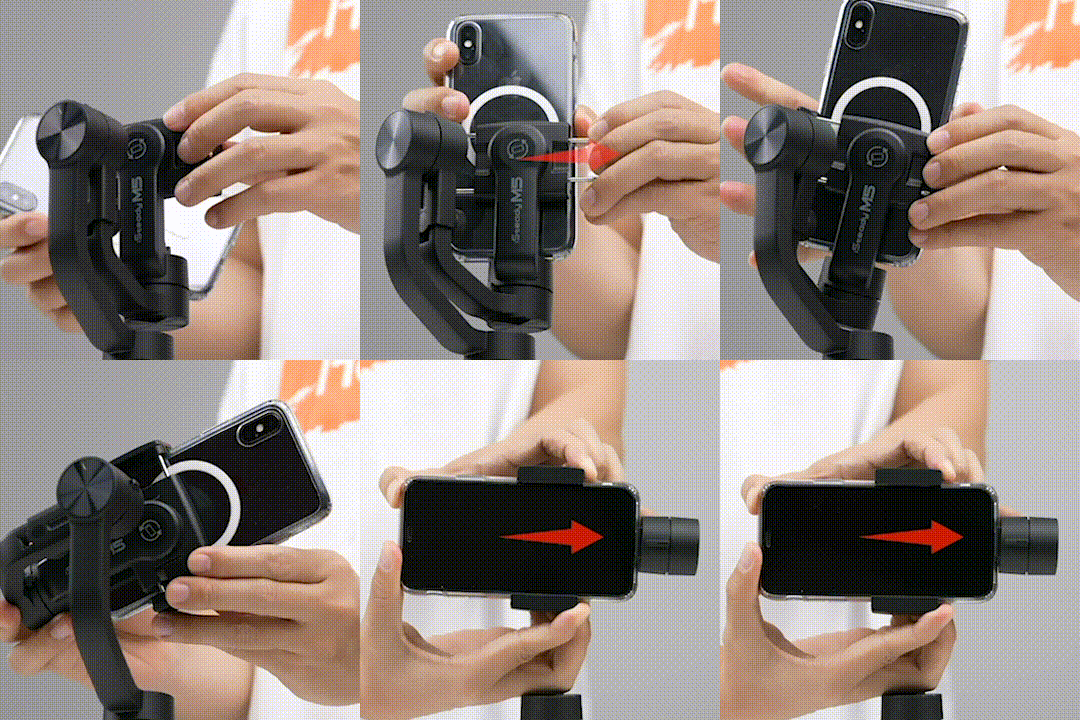
Tips:
Point the phone's camera to the left.
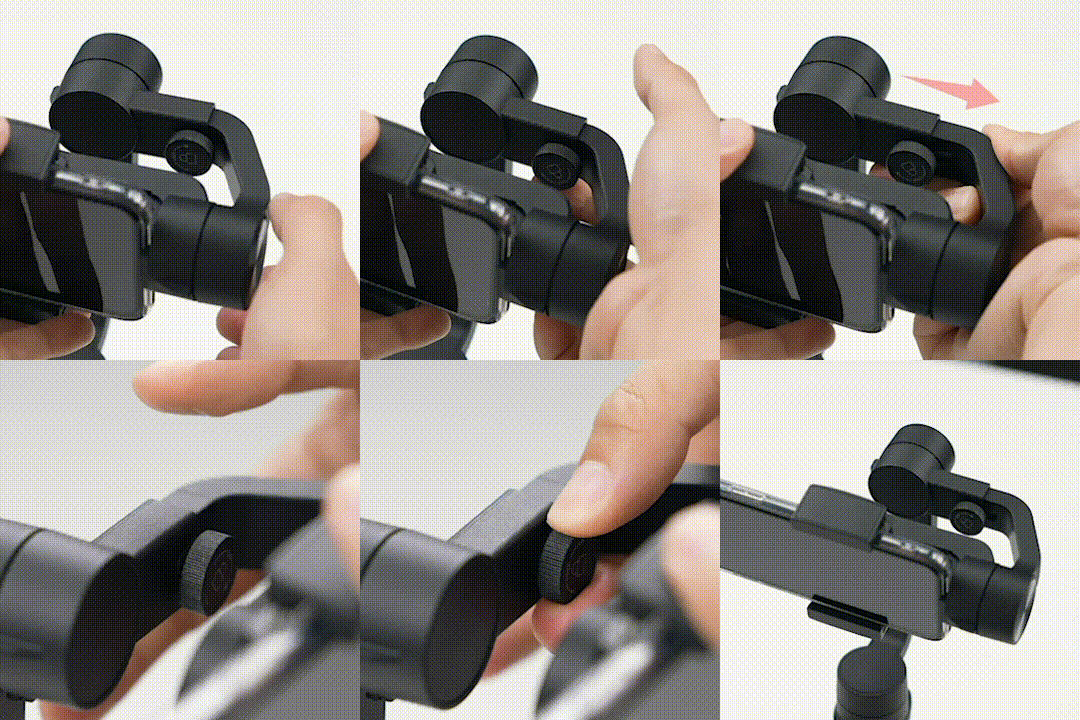
• Phone Balancing
Loosen the knob, slide the arm to roughly balance the phone, tighten the knob clockwise.
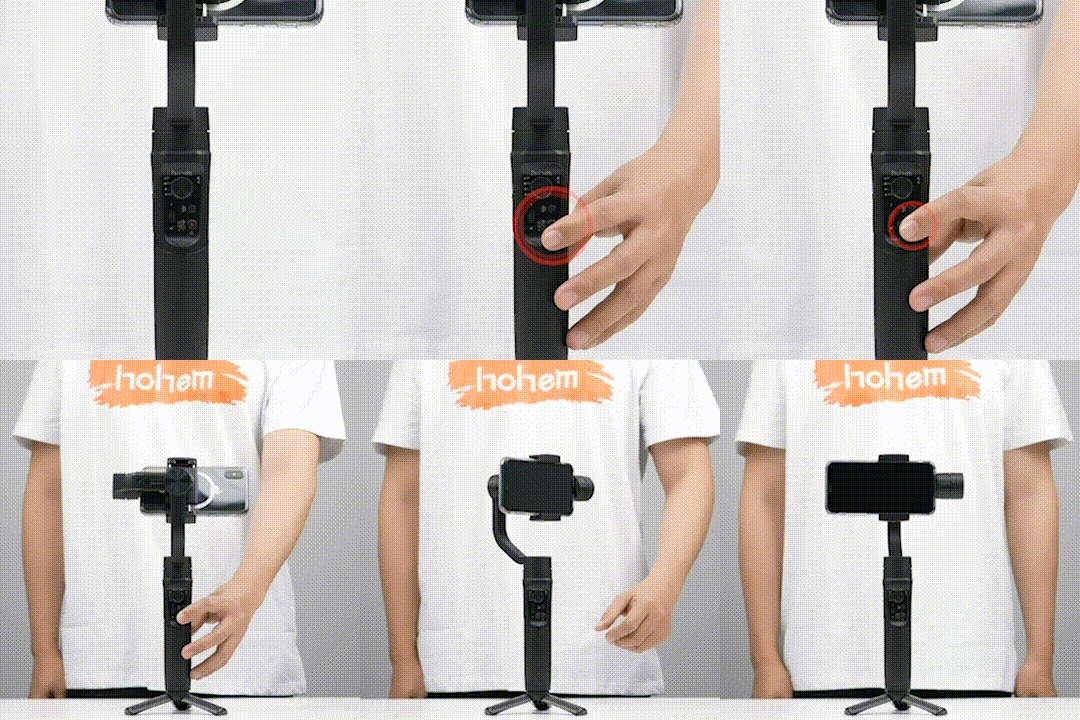
• Powering on Your Device
Long press the Power On/Off for 3 seconds to power on.
Portrait Mode: Mounting & Balancing
Tips:
① The maximum payload of the phone carried by gimbal: 280g
② The width of gimbal clamp: 58mm – 89mm.
③ If your phone case is bulky, removing it before installation is recommended.
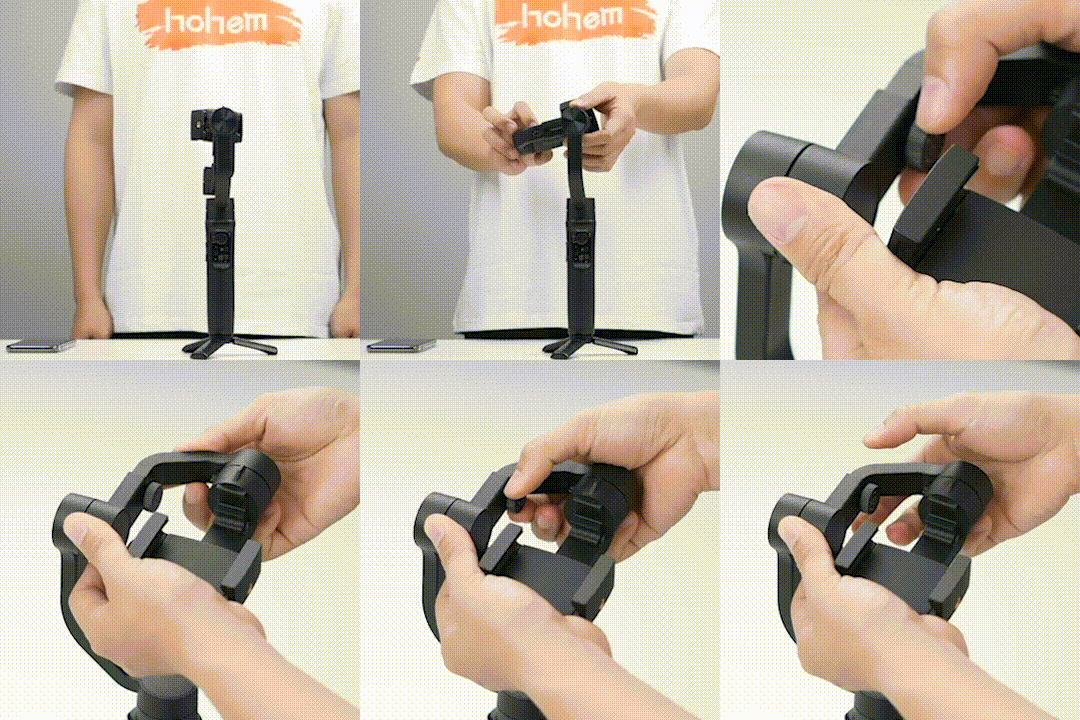
• Clamp on the phone
Loosen the knob, slide the arm to the leftmost position, tighten the knob clockwise.
Rotate the clamp 90°, clamp on the phone.
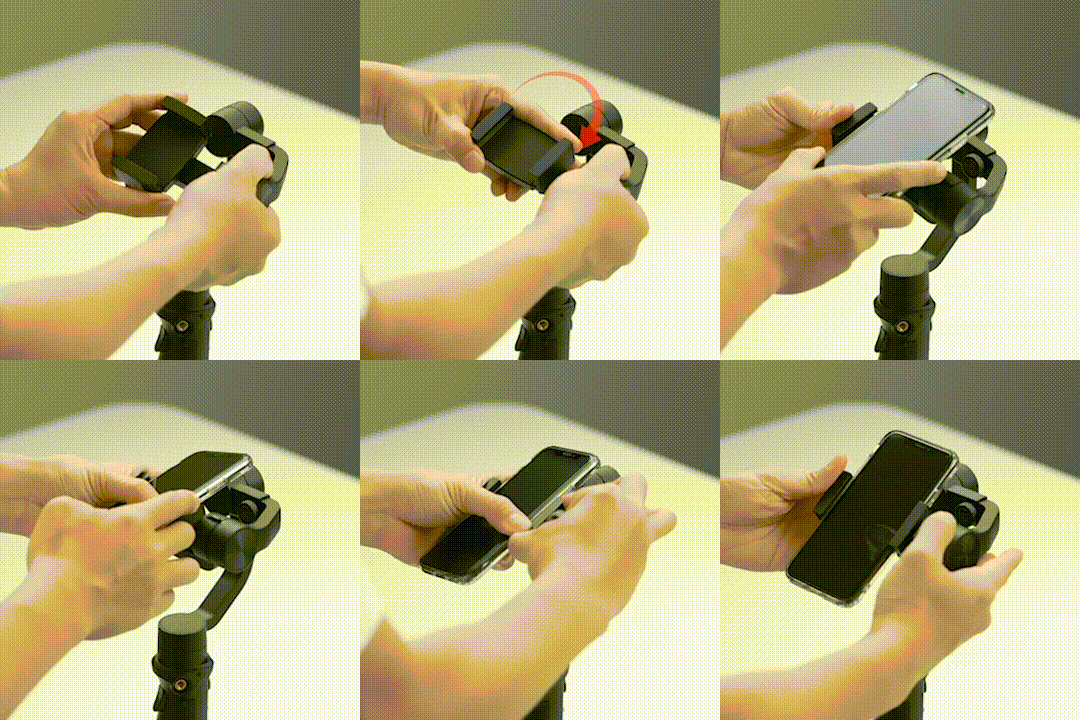
• Phone Balancing
Adjust the phone up and down for vertical balance, push the phone clamp rightwards, keep the phone roughly balanced in the middle.
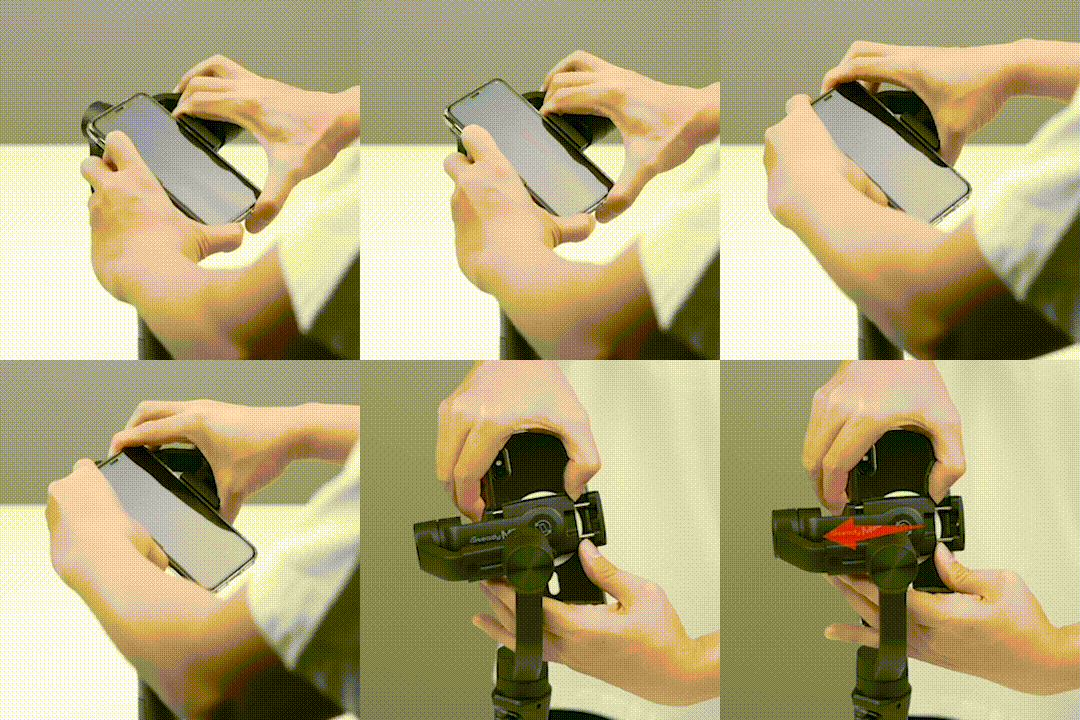
• Powering on Your Device
Long press the Power On/Off for 3 seconds to power on.
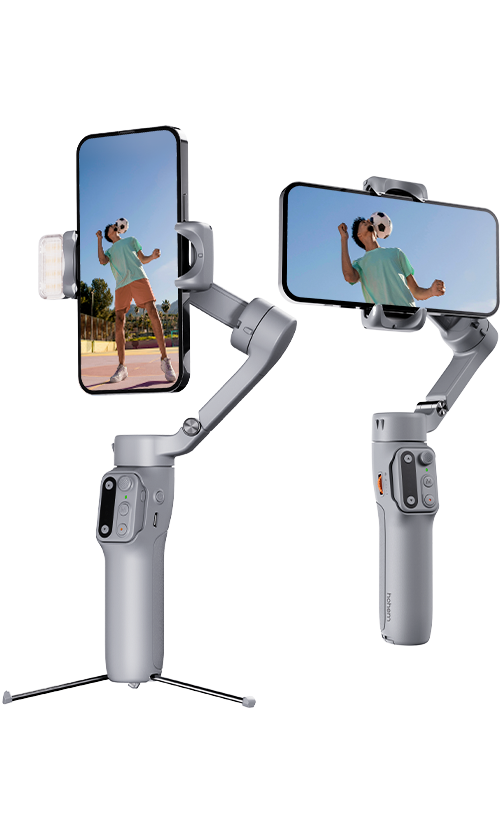
Quick Switch to Portrait Mode
• Method 1
While in landscape mode, rotate the gimbal 90° leftwards, wait for the phone to adjust to portrait.
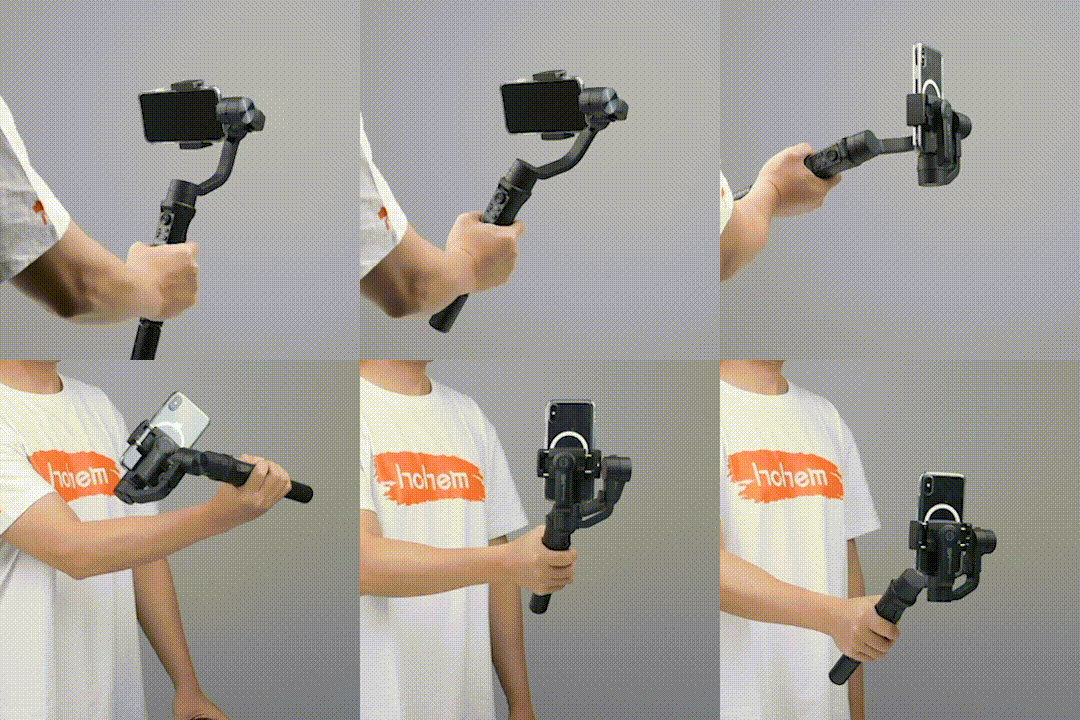
• Method 2
Support by hand, rotate the phone from landscape mode to portrait mode.
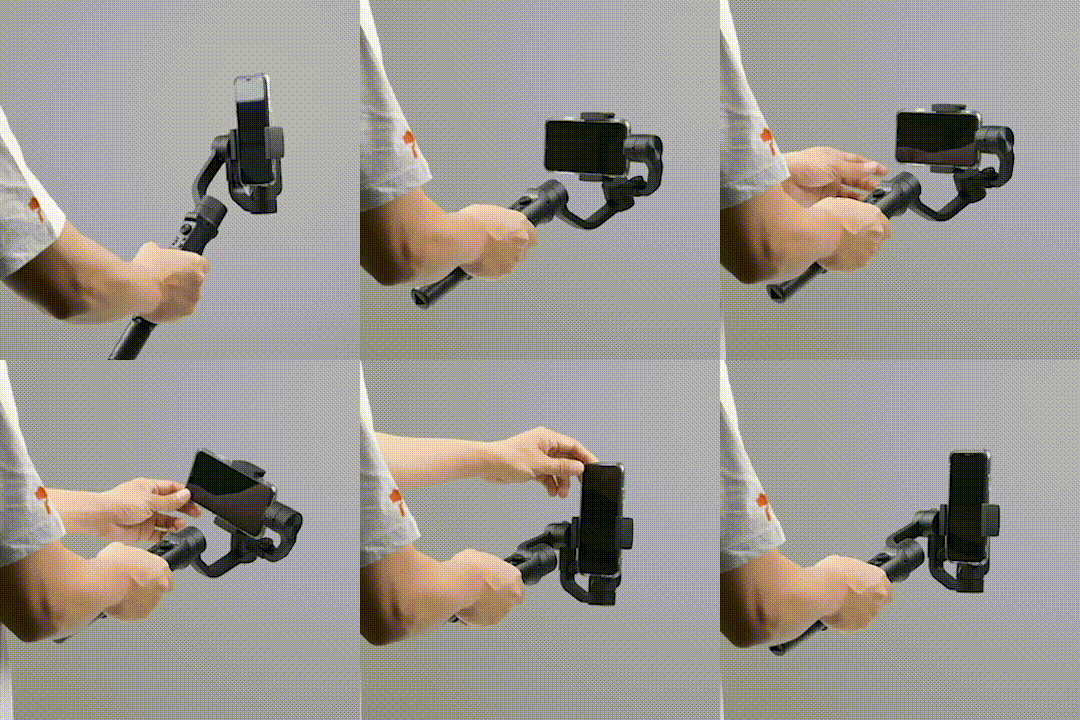
Tips:
① After the quick switch to portrait mode, the joystick only controls the phone to rotate left and right.
② The following do not the support quick switch to portrait mode:
1. In POV Mode
2. When the handle is perpendicular
3. When the app setting of the left/right joystick is roll axis